
What type of content can I send to Memoryboard?Updated a month ago
Types of content you can send with Memoryboard
The Memoryboard app is designed to send text and photos to your loved one's Memoryboard. By using the text field in the Memoryboard app, you can send reminders, notifications, updates, check-ins, or loving messages to your loved ones. With photos, you can crop an image or add a text tag to provide additional details about the photo, such as who is in it or where it was taken.
At any moment, only one photo or one message will be displayed on the Memoryboard. This ensures messages or pictures are easy to read and keeps things simple for your loved one.
If there are multiple messages or photos scheduled at the same time, the posts will display in a carousel, with each post being displayed based on a time you set, from 10 seconds up to 2 minutes.
Here are a few types of messages you can send:
Messages
- Appointment reminders: let your loved one know about an event
- Notes: remind your loved one about something they may need to do or remember
- Birthdays and important dates: share important dates and milestones
- Loving messages: let your loved one know you're thinking about them
Images
- Old photos: send a family photo from a long time ago
- Gatherings: share a photo of a recent get-together
- Milestones: share photos of recent celebrations and life moments
Tips and Reminders
- Messages are limited to 140 characters (about 20-35 words) to ensure they're displayed large enough to be read.
- From the app, you can toggle between black text on a white background and white text on a black background; changing the background color helps to indicate a new message and serves as a reminder to check the Memoryboard.
- Memoryboard makes a ‘ring’ sound to indicate to your loved one that there is a new post on Memoryboard. You can adjust the volume on Memoryboard to ensure your loved one can hear the notification.
- The default is for content to expire (disappear) at the end of each day, unless you schedule the post to repeat (see FAQ below).
FAQs
Does MB support multiple languages?
Yes, you can write messages in different languages. The Memoryboard app allows you to enter a message, and you can use whatever keyboard and language you choose. The message will then be displayed on your loved one's Memoryboard. Therefore, it will support various languages, scripts, and other features.
The Memoryboard itself will not be in a different language, but the only impact that will mean that the date and time on the Memoryboard will always show in english.
How do I keep a message active?
You can schedule messages and photos to repeat so they don't disappear at the end of each day. To do so, on the Scheduling screen (last screen before a message/photo is posted), you will need to select every day of the week (if you want the message to appear every day or only certain days of the week). Once this is done, photos will not appear in the 'expired posts' section and will remain on until deleted (or until the end date you have set as part of scheduling).
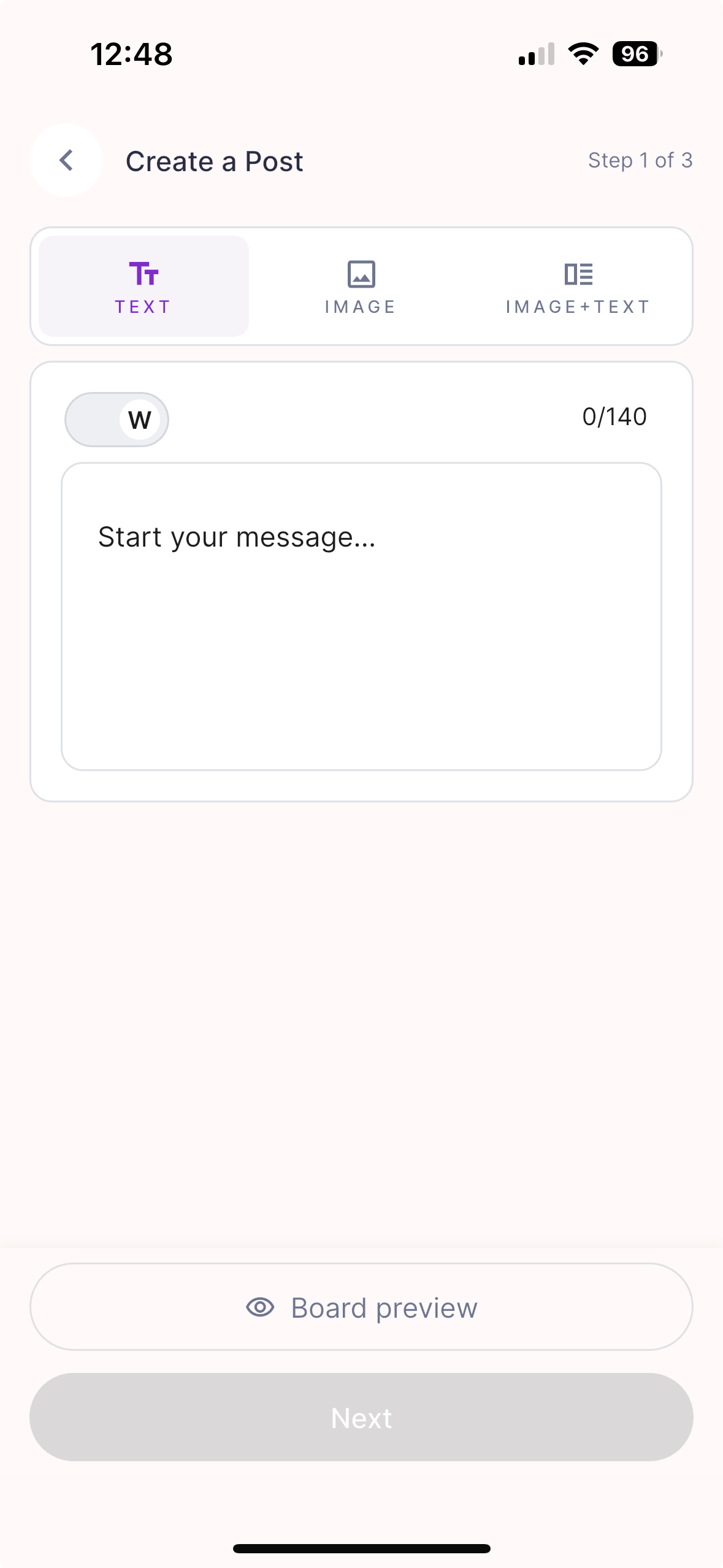 Create a Post screen in the Memoryboard app |
|