
How do I add someone to my Care Circle?Updated 16 hours ago
Adding someone to your Care Circle
Your Care Circle is a group of family members, friends, and caregivers who can all send messages and photos to your Memoryboard. You can add people to your Care Circle when setting up your Memoryboard account or from the Settings screen in the Memoryboard app.
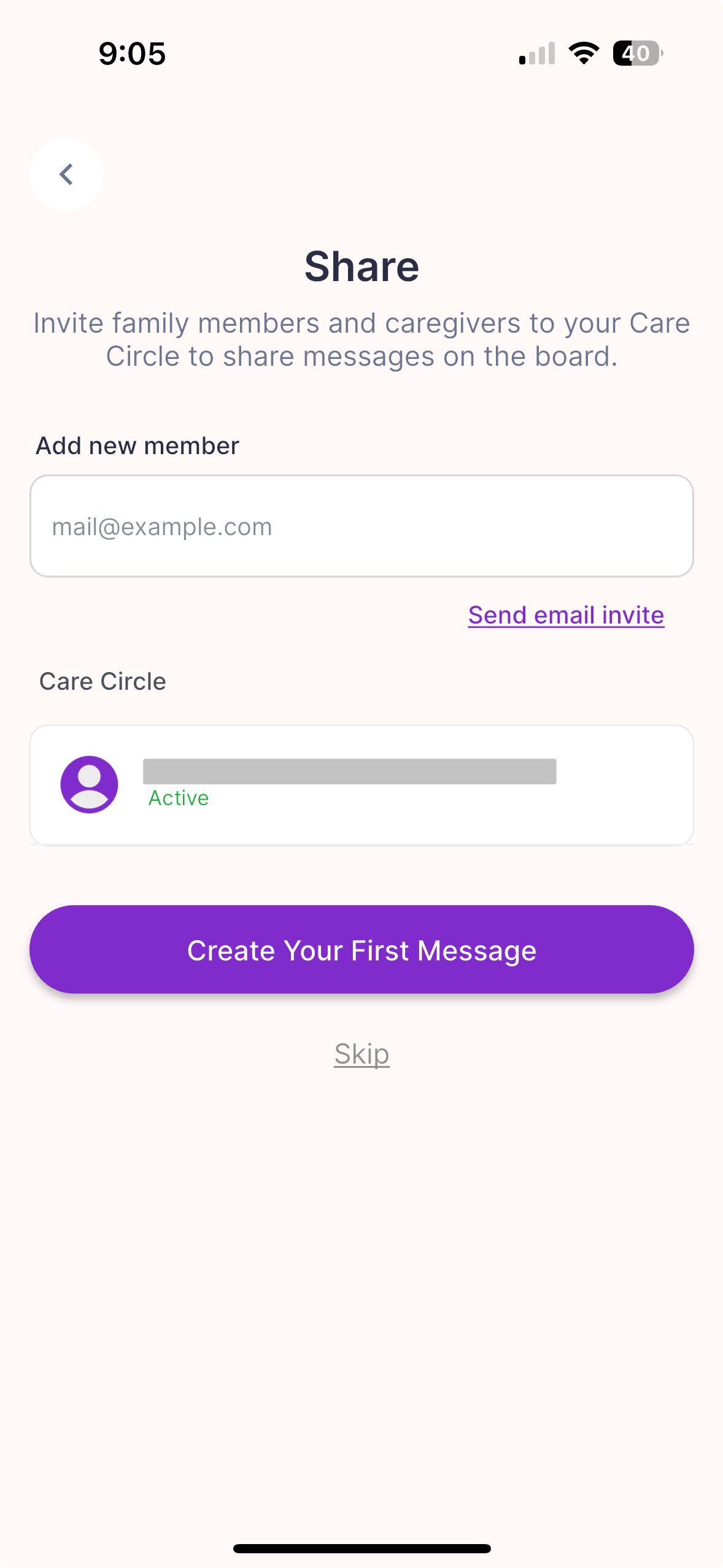
To add somebody to your Care Circle:
- Enter the email of the person you would like to invite
- Click "Send email invite"
- You will see their email appear under "Care Circle"
The person will receive an email inviting them to join your Care Circle on Memoryboard. They will then be taken to a web page to create an account. Once their account is created, they can download the Memoryboard app and sign in using their newly created account.
There are roles within the Care Circle. For the person setting up the Memoryboard, they will be an 'Admin', giving them the ability to add/remove other members and add/remove additional Memoryboards. When they invite others to join the Care Circle, invited members will join as 'Members' (without the ability to edit other members or boards). Admins have the ability to update roles of other members from Members to Admins.
💡In some cases, family members have downloaded the Memoryboard app before receiving the invite email from the person setting up the Memoryboard. In those cases, they won't be able to complete the setup in the app (as it often is before the Memoryboard has been set up). When they receive an invitation from the person setting up the Memoryboard, they will automatically be associated with their family's Care Circle and Memoryboard. Next time they open the app, they will be able to view the Memoryboard and send a message.
💡When you first start using Memoryboard, it's best to start with a smaller Care Circle so the person with memory loss and family members can get used to sending and receiving messages on Memoryboard. As you become more familiar with Memoryboard, you can grow your Care Circle.
Other Tips
- All members of the Care Circle can see (and edit) all posts and messages on all boards associated with that Care Circle. They can also edit posts from other members, including changing the message and adjusting the scheduling settings.
- Admins can remove a person from the Care Circle by clicking the purple pencil icon next to their name on the Care Circle screen from your Settings screen in your app. They will be logged out of their app and unable to post to the Memoryboard.
- Under your Care Circle, you can see who has been invited (indicated by the gray "Invited" label under their email).
- You can add an unlimited number of people to your Care Circle.
 Adding to your Care Circle during Onboarding | .jpg) Adding to your Care Circle from Settings screen |