
Why do posts disappear each day?Updated 2 months ago
Why posts disappear at the end of each day
Memoryboard was designed with ongoing communication in mind. As a result, posts, either messages or photos, expire (disappear) at the end of each day. Your Memoryboard will 'wake up' from sleep mode every morning with no posts displayed. A waiting screen will say, "Waiting for new messages."
You can keep messages and photos on your Memoryboard for multiple days using the Scheduling feature in the Memoryboard app. With Scheduling, you can set your post to appear for multiple days, repeat for certain days of the week, and (optionally) set an end date after which you no longer want the message to appear.
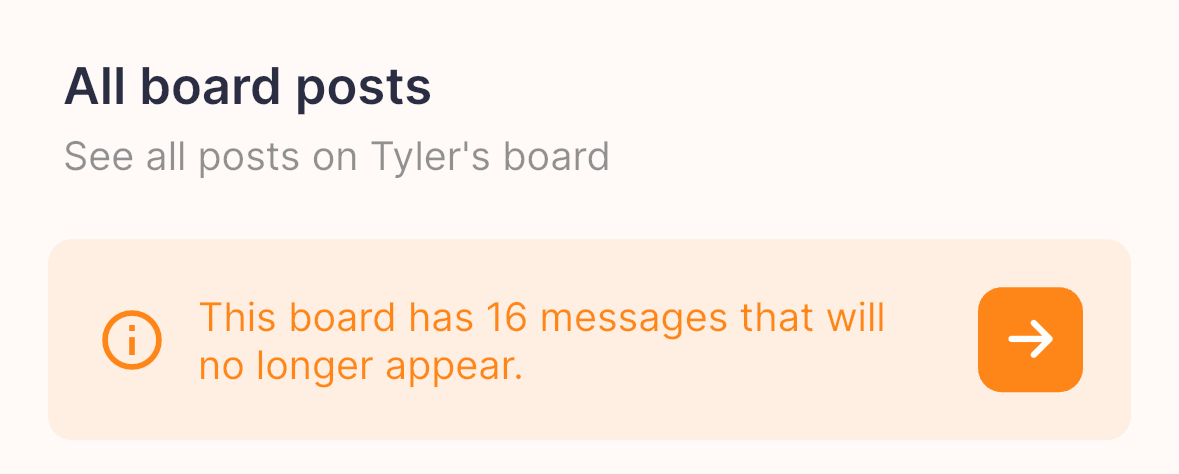
Each morning, you will see the below orange box in your app under the 'All board posts' section in the app, indicating how many posts are 'expired'. That is, after the time they've been scheduled for. You can click on the box to easily delete and remove expired posts (you will be taken to a pop-up window where you can deselect any posts you do not want to delete). Deleting posts is final and cannot be undone.
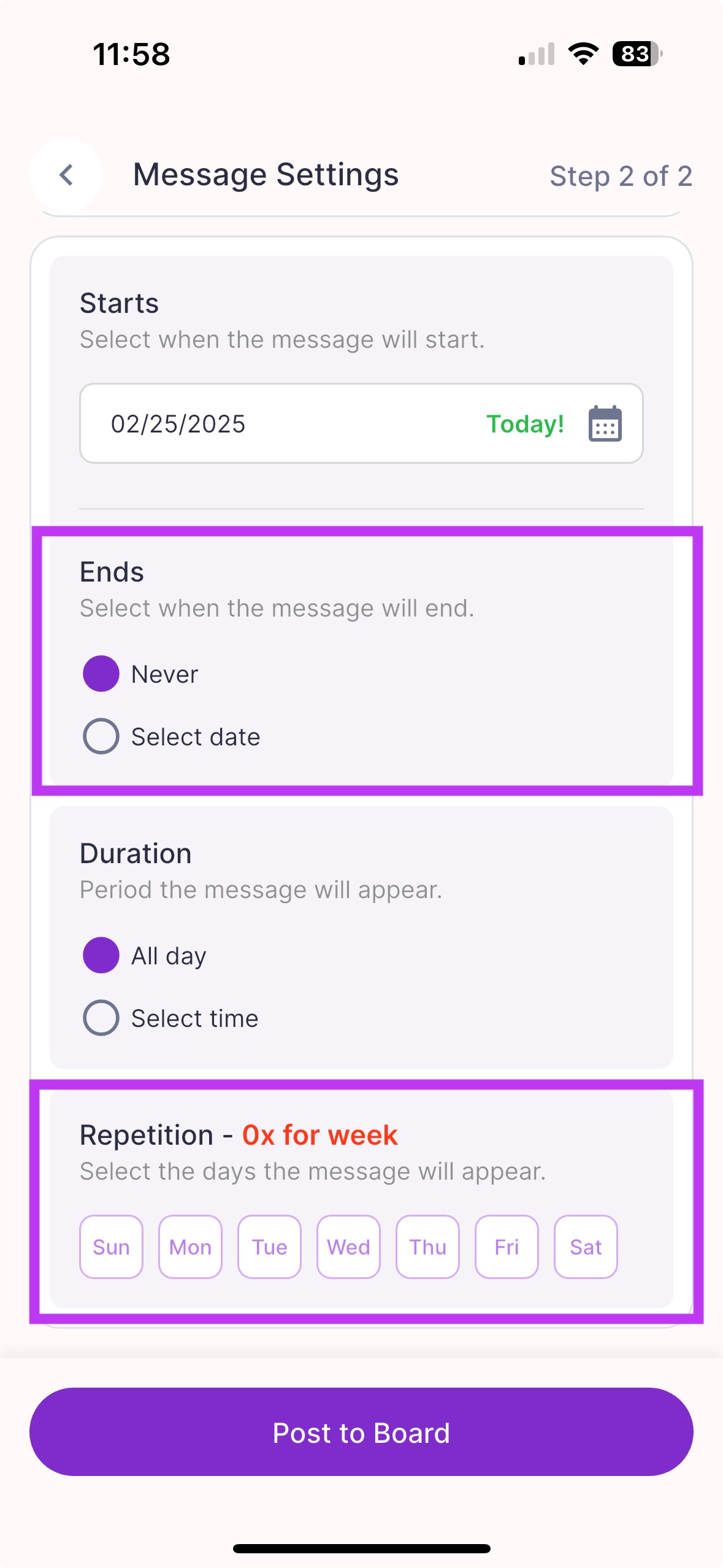 On the Scheduling screen in the app, you can set posts to appear for multiple days | 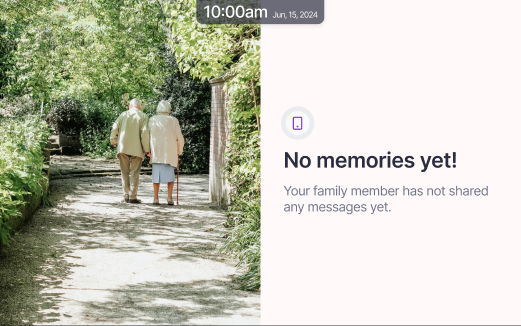 This is the screen on your Memoryboard that your loved one will see when there are no posts. |